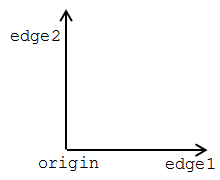
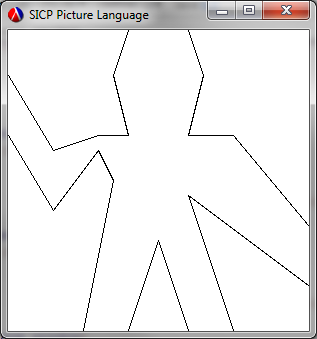
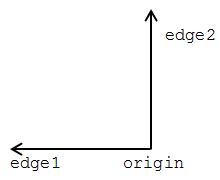
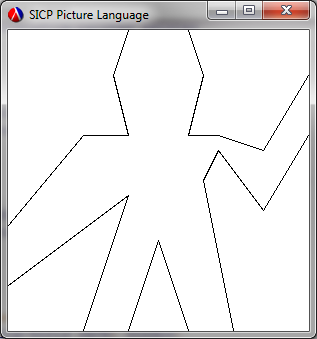
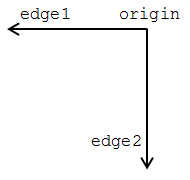
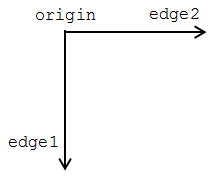
Use segments->painter to define the following primitive painters:
- The painter that draws the outline of the designated frame.
- The painter that draws an "X" by connecting opposite corners of the frame.
- The painter that draws a diamond shape by connecting the midpoints of the sides of the frame.
- The
wave painter.
Before we start defining a load of segments, let's first have a look at the outline, diamond and painters... To draw an outline of the frame we need four segments:
- One from the bottom-left corner to the bottom-right corner
- One from the bottom-right corner to the top-right corner
- One from the top-right corner to the top-left corner
- One from the top-left corner to the bottom-left corner
Similarly we need four segments to draw a diamond shape, except these connect the midpoints of the sides:
- One from the midpoint of the bottom side to the midpoint of the right side
- One from the midpoint of the right side to the midpoint of the top side
- One from the midpoint of the top side to the midpoint of the left side
- One from the midpoint of the left side to the midpoint of the bottom side
Notice how these painters need a connected series of segments. I.e. the end point of one segment becomes the start point of the next segment, and so on throughout the segments. Also note that, although the
wave painter's segments don't form a closed polygon, it's made up of five sets of connected segments. If we were to manually create the segment lists for these painters we'd end up with a large number of
make-segment chains along the lines of:
  (make-segment (make-vect x1 y1) (make-vect x2 y2))
  (make-segment (make-vect x2 y2) (make-vect x3 y3))
  (make-segment (make-vect x3 y3) (make-vect x4 y4))
  …
Rather than doing this we can produce a helper procedure that will take a list of vectors and produce a connected sequence of segments such that the first segment starts with the first vector and ends with the second vector, the second segments starts with the second vector and ends with the third vector and so on. The resulting list of segments will contain one less segment than there are vectors. To produce this we can have a procedure that takes an arbitrary number of vectors (via the syntax we learned in
exercise 2.20), takes the first vector as the starting point and then iterates through the remaining list, producing a segment linking the the current start point with the current list item and moving the start point along to the current list item at each iteration. Here's the implementation I produced to do this:
(define (build-segments-list . vect-list)
  (define (build cur-vect remaining)
    (if (null? remaining)
        nil
        (cons (make-segment cur-vect (car remaining))
              (build (car remaining) (cdr remaining)))))
  (if (null? vect-list)
      nil
      (build (car vect-list) (cdr vect-list))))
Using this we can then define procedures for drawing the outline and diamond slightly more succinctly than would otherwise be possible as:
(define outline
  (segments->painter (build-segments-list (make-vect 0.0 0.0)
                                          (make-vect 0.0 1.0)
                                          (make-vect 1.0 1.0)
                                          (make-vect 1.0 0.0)
                                          (make-vect 0.0 0.0))))

(define diamond
  (segments->painter (build-segments-list (make-vect 0.0 0.5)
                                          (make-vect 0.5 1.0)
                                          (make-vect 1.0 0.5)
                                          (make-vect 0.5 0.0)
                                          (make-vect 0.0 0.5))))
To make the results of these easier to see I produced a procedure,
quad that draws a 2 × 2 grid, with each cell containing the requested painter:
(define (quad painter)
  (let ((side-by-side (beside painter painter)))
    (below side-by-side side-by-side)))
Then I can use:
((quad outline) window)
...to produce:

...and...
((quad diamond) window)
...to produce:

We can't use
build-segments-list for drawing an "X", however. There is no connected series of segments here. Instead we need to produce two segments that join the diagonally opposite corners:
(define draw-x
  (segments->painter (list (make-segment (make-vect 0.0 0.0) (make-vect 1.0 1.0))
                           (make-segment (make-vect 0.0 1.0) (make-vect 1.0 0.0)))))
Here:
((quad draw-x) window)
...gives:

Finally we can address
wave. Now there doesn't appear to be a handy set of coordinates kicking around for this, so I resorted to my paper copy of the book and a ruler. But, as noted above, this has five sets of connected segments, so we
can use
build-segments-list again to simplify the procedure slightly. Note that, as each
build-segments-list call produces a list of segments we have to
append them together in order that we can then pass them through to
segments->painter:
(define wave
 (segments->painter
   (append (build-segments-list (make-vect 0.0  0.85)
                                (make-vect 0.15 0.6)
                                (make-vect 0.3  0.65)
                                (make-vect 0.4  0.65)
                                (make-vect 0.35 0.85)
                                (make-vect 0.4  1.0))
           (build-segments-list (make-vect 0.6  1.0)
                                (make-vect 0.65 0.85)
                                (make-vect 0.6  0.65)
                                (make-vect 0.75 0.65)
                                (make-vect 1.0  0.35))
           (build-segments-list (make-vect 1.0  0.15)
                                (make-vect 0.6  0.45)
                                (make-vect 0.75 0.0))
           (build-segments-list (make-vect 0.6  0.0)
                                (make-vect 0.5  0.3)
                                (make-vect 0.4  0.0))
           (build-segments-list (make-vect 0.25 0.0)
                                (make-vect 0.35 0.5)
                                (make-vect 0.3  0.6)
                                (make-vect 0.15 0.4)
                                (make-vect 0.0  0.65)))))
Then we can test it out, using:
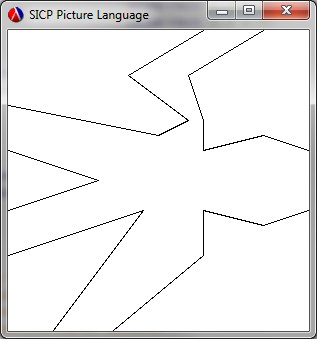
((quad wave) window)
...to produce: